

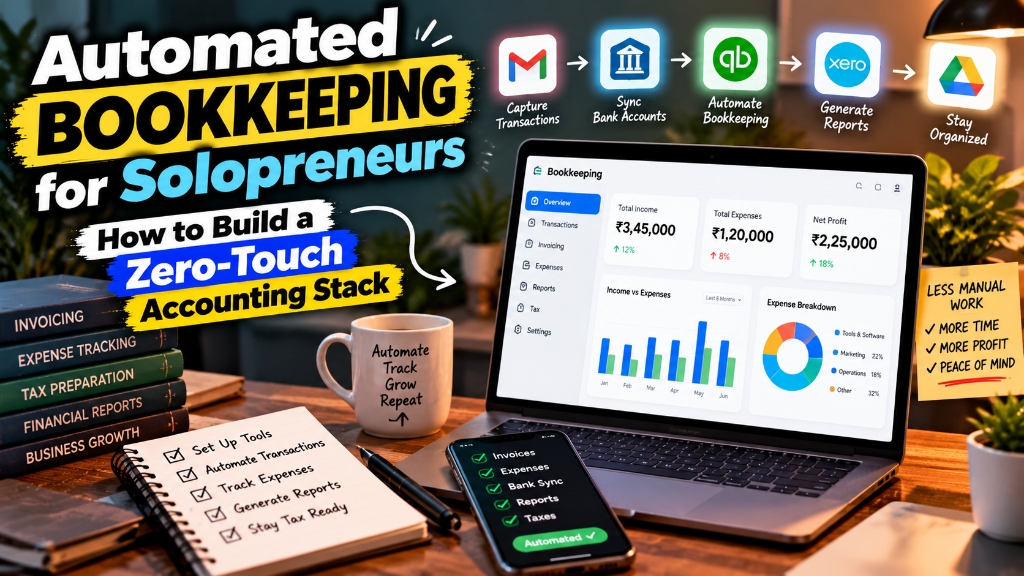
Automated Bookkeeping for Solopreneurs: Build a Zero-Touch Stack
Build an automated bookkeeping stack for your solo business. Connect Stripe, bank feeds, OCR receipts, and ledgers to save 10+ hours monthly.
Educational Resource: This guide does not constitute financial or legal counsel.
Automated bookkeeping for solopreneurs creates a hands-off accounting pipeline by linking payment processors, digital bank feeds, and OCR receipt scanners to a cloud general ledger using no-code webhook automations. This zero-touch stack eliminates manual data entry, matches invoices to bank deposits automatically, and slashes monthly reconciliation time from ten hours to fifteen minutes.
Running a solo business means wearing every executive hat simultaneously: product development, sales outreach, customer support, and administrative operations.
Yet among all operational burdens, manual bookkeeping is universally the most soul-crushing. Sifting through digital shoe boxes of email receipts, copying transaction numbers into spreadsheets, and manually matching Stripe invoice payouts to bank deposits steals ten to fifteen high-leverage hours every month. Worse, when tax season arrives in April, backlogged records create expensive CPA clean-up bills and panic over missing deductions.
The solution is not hiring an expensive fractional bookkeeper for $500 a month when your transaction volume is small.
By constructing an automated bookkeeping stack with modern cloud accounting software and no-code connectors like Make or Zapier, you can build a self-reconciling financial engine. Here is the blueprint to create a zero-touch accounting system that runs quietly in the background while you focus on client work.
The High Cost of Manual Data Entry for One-Person Companies
Manual bookkeeping drains solopreneur resources through direct administrative drag and missed tax deductions.
When you spend four hours on a Sunday afternoon matching paper receipts to credit card line items, you are not merely doing clerical work; you are sacrificing billable consulting hours or strategic product iteration. If your effective hourly advisory rate is $150, spending 10 hours a month on manual spreadsheets represents $1,500 in lost monthly earning capacity.
Furthermore, manual entry introduces systematic operational errors:
- Transaction Drift: Memos are forgotten three weeks after purchase, leading to miscategorized business expenses that trigger tax audit flags.
- Unclaimed Deductions: Digital subscriptions and travel expenses paid across various debit cards go unlogged, resulting in thousands of dollars in overpaid income tax.
- Delayed Cash Flow Visibility: Because manual accounting is typically postponed until quarter-end, you fly blind on real net profit margins and available cash reserves.
Automating these workflows eliminates human error, preserves clean audit trails, and provides real-time financial clarity.
The Modern Automated Accounting Stack: Core Tools & Integrations
A resilient zero-touch bookkeeping stack consists of four modular layers that communicate through automated webhooks and secure bank feeds.
| Operational Layer | Core Function | Example Tools |
|---|---|---|
| 1. Transaction Generation | Collects revenue and processes customer payments | Stripe, PayPal, Shopify, Relay |
| 2. Receipt & Document Capture | Extracts vendor data and receipts via OCR | Dext Prepare, AutoEntry, Google Drive |
| 3. Automated Routing | Syncs transaction payloads and triggers webhooks | Make.com, Zapier, Native Webhooks |
| 4. Core General Ledger | Reconciles bank feeds and produces financial statements | Xero, QuickBooks Online, Wave |
Selecting the right software tools ensures that each layer connects natively without requiring custom code.
| Stack Layer | Recommended Tool | Alternative Option | Core Function | Monthly Cost |
|---|---|---|---|---|
| General Ledger | Xero (Early/Growing) | QuickBooks Online | Central double-entry balance sheet and chart of accounts | $15 - $42/mo |
| Receipt Capture | Dext Prepare | AutoEntry | AI OCR extracts vendor, date, tax, and line items from PDFs | $20 - $30/mo |
| Automation Engine | Make.com | Zapier | Webhook router for invoice matching and multi-step triggers | Free - $9/mo |
| Banking Layer | Relay Financial | Mercury | Virtual cards assigned to specific vendors with spend limits | Free |
| Invoicing & Checkout | Stripe Billing | Square / HoneyBook | Automated client billing and subscription lifecycle management | 2.9% + 30¢ |
Xero pairs especially well with Make and Dext because its bank reconciliation interface allows for 1-click matching rules and does not restrict API rate limits as aggressively as legacy accounting suites.
Automating Invoicing and Payment Reconciliations via Webhooks
The most common point of accounting confusion for solopreneurs is reconciling gross customer invoices against net merchant payouts.
When a client pays a $1,000 invoice via Stripe, Stripe retains its processing fee (typically $29.30) and deposits $970.70 into your bank account two business days later. If your accounting system simply records a $970.70 bank deposit as revenue, two errors happen: your gross revenue is understated by $29.30, and your merchant processing fee expense is completely missing from your deductions.
To resolve this automatically, configure a no-code Make scenario that listens for Stripe payment webhooks:
- Trigger: Stripe logs a “Charge Succeeded” event ($1,000 gross).
- Action 1: Automation generates a Sales Invoice in Xero for the full gross amount ($1,000).
- Action 2: Automation applies payment to a designated “Stripe Clearing Account”.
- Action 3: Automation records the merchant processing fee ($29.30) to “Bank Fees & Processing”.
- Reconciliation: When Stripe transfers the net payout ($970.70) into your checking account, match it as a transfer from the Stripe Clearing Account.
By maintaining a dedicated Stripe Clearing Account on your balance sheet, the gross revenue, the processing expense, and the net cash transfer match automatically with zero manual adjustments.
Paperless OCR Receipt Processing Direct to Chart of Accounts
Optical Character Recognition (OCR) receipt tools eliminate manual data entry by extracting line items and vendor information from email invoices instantly.
Instead of downloading PDF receipts from Google Workspace, Canva, Amazon AWS, or Zoom and uploading them one by one into your ledger, you can set up automated forwarding rules in your email client.
The 3-Step Zero-Touch Receipt Ingestion Pipeline
- Dedicated Ingestion Inbox: Modern tools like Dext provide a private forwarding email address (such as
yourname@dext.cc). - Automated Gmail/Outlook Filters: Create an email forwarding rule with queries like:
from:(billing OR invoice OR receipt) has:attachment. Whenever a SaaS provider delivers a receipt, your email client forwards it to Dext immediately. - AI Line Item Extraction & Rule Mapping: The OCR engine extracts the date, currency, total amount, sales tax, and vendor name. You establish a one-time rule: “Whenever the vendor is ‘DigitalOcean’, code category to ‘Web Hosting’ and assign paid by ‘Virtual Card 4291’.”
The software packages the original PDF attachment and transaction data together, publishing it directly into your general ledger where it attaches directly to the corresponding bank line item.
[!TIP] If you run a digital service business and want to calculate the compounding return of automating non-billable tasks, check out our ROI and Compounding Calculator to evaluate how reinvesting saved time drives long-term business equity.
Generating Automated Weekly Financial Health Reports
An automated accounting stack should deliver proactive executive insights to your inbox, not merely record historical data for tax collectors.
Most solopreneurs check their financial health by logging into their mobile banking app and looking at the checking balance. This is dangerous because pending credit card charges, upcoming tax liabilities, and accounts receivable are completely hidden from view.
You can automate a weekly Monday Morning Executive Digest using Make or Zapier that pings your private Slack channel or Telegram:
- Period Ending: Sunday, 11:59 PM
- Liquid Cash Position: Primary Checking ($14,250.00) | Tax Reserve ($8,600.00) | Operating Buffer ($5,100.00)
- Accounts Receivable: Current (0-30 Days): $3,500.00 | Overdue (>30 Days): $0.00
- Trailing 30-Day Metrics: Gross Revenue: $12,400.00 | Operating Expenses: $1,420.00 | Net Profit Margin: 88.5%
- Action Required: 2 unmatched receipts pending in Dext inbox.
Having this automated report waiting for you every Monday morning grounds your week in reality without opening a single spreadsheet.
The 15-Minute Month-End Review Checklist
With automated feeds and OCR parsing running continuously, closing your books each month requires only a quick validation review.
Set a recurring 15-minute appointment on the first business day of every month to run through this audit sequence:
- Review Clearing Accounts: Confirm that your Stripe, PayPal, or merchant clearing balance equals zero (all payouts have cleared to checking).
- Clear the Bank Reconciliation Queue: Click “OK” on pre-matched transactions in your cloud accounting ledger where bank rules identified recurring charges.
- Check Flagged Expenses: Inspect the few anomalous transactions that lacked automated rules and assign them to the appropriate chart of accounts.
- Review Outstanding Invoices: Check aging receivables; trigger an automated polite payment reminder for any client invoice over 14 days old.
- Fund Your Tax and Profit Splits: Move your predetermined percentages (e.g., 25% tax, 10% profit reserve) into dedicated sub-accounts.
- Lock the Accounting Period: Lock the prior month’s books in your software settings to prevent accidental backdated edits.
Accounting Platforms Compared for Solopreneurs
Choosing the right base ledger depends on your transaction complexity and business structure.
| Feature / Consideration | Xero (Recommended) | QuickBooks Online | Wave Accounting |
|---|---|---|---|
| User Interface | Modern, clean, uncluttered | Feature-heavy, corporate | Simple, beginner-friendly |
| Bank Rules Engine | Robust and flexible | Very powerful | Basic |
| API & Automation Support | Generous, developer-friendly | Good, but strict rate limits | Limited API connectivity |
| Receipt Capture Integration | Seamless native & Dext links | Built-in receipt reader | Discontinued free receipt OCR |
| Monthly Starting Price | $15.00/month | $35.00/month | Free core / $16/mo Pro |
| Best For | Tech solopreneurs & agencies | Traditional businesses needing local CPAs | Micro-freelancers on strict budgets |
While Wave is an attractive entry-level choice for absolute beginners, scaling beyond $50,000 in annual revenue usually warrants the $15 monthly investment in Xero to unlock automated multi-currency support and advanced webhook matching.
Frequently Asked Questions
Can I automate bookkeeping completely without any human review?
You cannot automate bookkeeping 100% without review because unexpected vendor charges, annual tax policy changes, and unique equipment depreciation require occasional human classification. However, an automated stack reduces hands-on bookkeeping time by 90%, leaving you with just a 15-minute monthly review.
How do I handle business expenses paid with a personal card?
If you accidentally purchase a business tool with a personal credit card, submit the receipt through your OCR scanner (like Dext) and tag the payment source as “Owner Funds Introduced” or “Director Loan.” The software will record the tax deduction while reflecting an account balance owed to you by the business.
Do I need a bookkeeper if I build this automated stack?
Most solo consultants, software developers, and creators generating under $250,000 annually do not need a recurring monthly bookkeeper once this stack is live. You can manage month-to-month tracking autonomously and simply hire an experienced CPA for annual tax strategy and year-end filing.
Is Dext or AutoEntry better for solo business receipt capture?
Dext Prepare is generally superior for solopreneurs due to its seamless mobile app, reliable email forwarding parser, and lightning-fast rule automation. AutoEntry is a capable alternative that charges per-document credits, which can be cost-effective for solopreneurs with fewer than 15 total transactions per month.
Building a Scalable Solo Enterprise
Automated bookkeeping is not just about saving time; it is about building the operational discipline of a mature company within a single-operator business.
When your receipts are filed automatically, your merchant fees are tracked to the cent, and your weekly financial health metrics land in your inbox like clockwork, financial anxiety disappears. You stop dreading tax season and gain the clarity needed to make confident business decisions.
Connect your payment gateways to Make, set up your receipt forwarding rule today, and turn your accounting into an autonomous background engine.
Download: The Solo Founder's High-Margin Scaling Playbook
A battle-tested blueprint on building asymmetric leverage, packaging high-ticket B2B services, and converting labor into scalable digital products.
- Pricing power & contract negotiation scripts
- Micro-SaaS & digital product launch checklist
This article and its associated calculators are for educational and informational purposes only and do not constitute financial, investment, legal, tax, or medical advice. We may earn an affiliate commission on third-party links at zero cost to you. Always consult a licensed professional before making major financial, health, or investment decisions. Read our full Legal & Financial Disclaimer.
Vikram Nair
Verified AuthorVikram covers small business ideas, digital ventures, and practical company growth. Having worked alongside early-stage founders, he writes straightforward advice on building profitable businesses.
Was this essay valuable to you?
Help us refine our editorial focus and research priorities.
Reader Discussion (2)
Extremely well-articulated analysis on capital compounding. The breakdown on equity allocation vs active income is spot on.
The distinction between looking rich and building real moats is something more founders need to study deeply.
Explore Eternity Empire
Search empirical insights, explore our four wisdom categories, and discover curated strategic essays.
Search Insights
Recent Essays
The Backyard Cash Flow Engine: How to House Hack with an ADU in 2026
11 min read • Oct 20How to Become a Fractional COO: Landing Your First $5,000/Month Retainer Client
12 min read • Oct 20The Zero-Bounce Outbound Engine: How to Set Up Multi-Domain Cold Email with Instantly and Clay
12 min read • Oct 20Featured Guides
Further Wisdom & Insights
Explore All Articles
When to Elect S-Corp Status for Your LLC: The $80,000 Profit Rule and Reasonable Salary Math
Discover when to elect S-Corp for single member LLC status. Learn the $80,000 net profit threshold, reasonable salary rules, and Form 2553 filing deadlines.
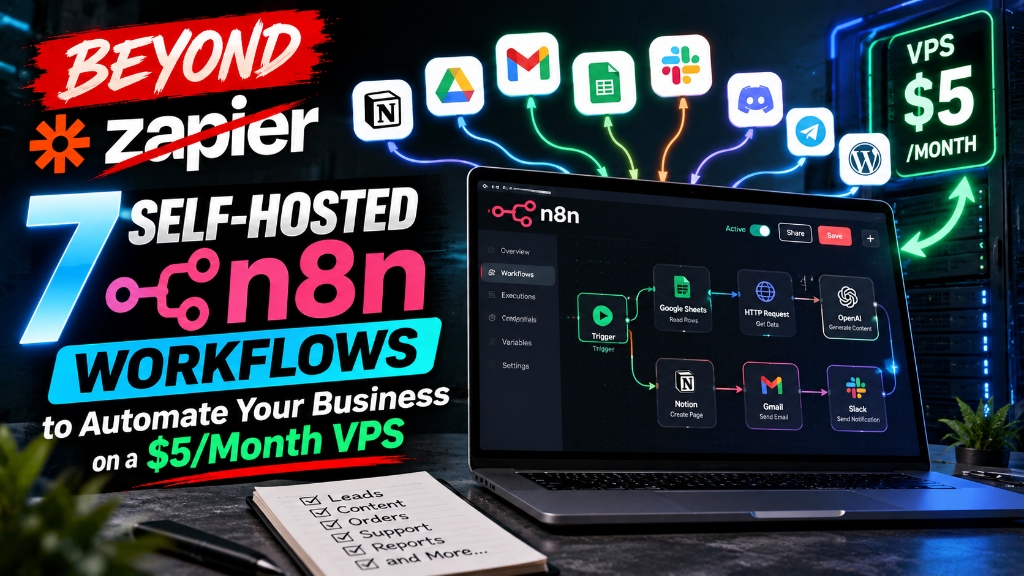
Beyond Zapier: 7 Self-Hosted n8n Workflows to Automate Your Business on a $5 VPS
Cut hundreds in SaaS subscription fees by migrating to self-hosted n8n. Discover 7 automated workflows for lead qualification, onboarding, and CRM sync.

Wise vs. Revolut Business: Which Account Saves Global Freelancers the Most on FX and Transfer Fees?
Compare Wise vs Revolut Business for international freelancers. Analyze exchange rate markups, SWIFT wire costs, weekend FX fees, and accounting sync.